

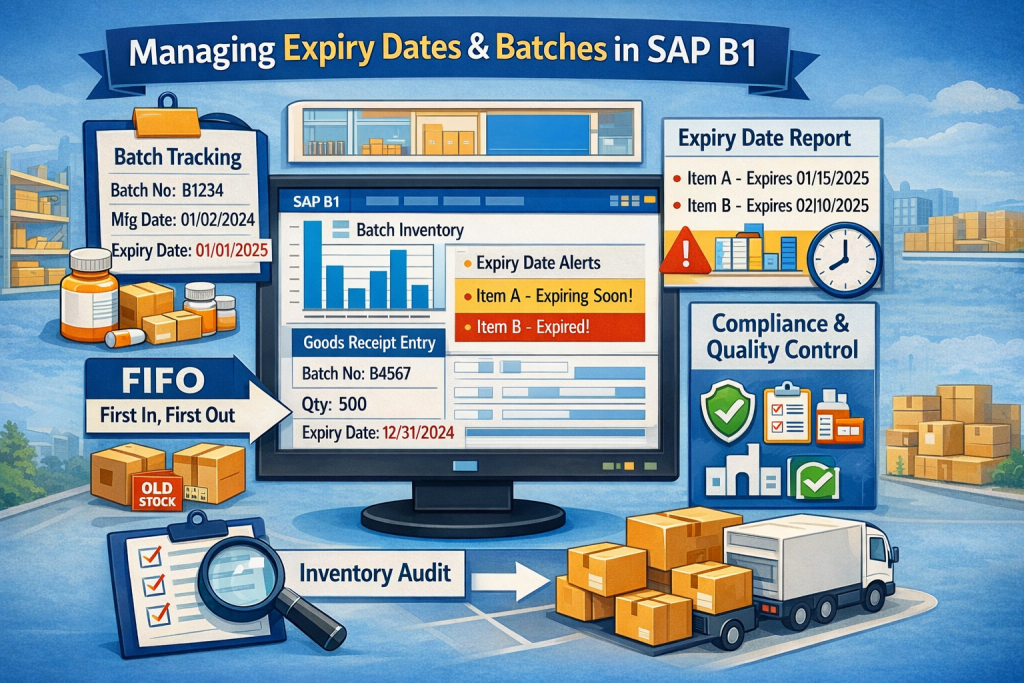
Inventory control is one of the most critical tasks for companies dealing with perishable or regulated products. Businesses such as pharmaceuticals, food manufacturing, cosmetics, and chemicals must track product batches and expiry dates carefully to maintain compliance and reduce losses.
This is where How to Manage Expiry Dates and Batches in SAP B1 becomes extremely important. SAP Business One offers built-in tools that allow businesses to track batch numbers, manage expiration dates, and monitor inventory movement from procurement to delivery.
With the right configuration and processes, companies can ensure accurate stock rotation, regulatory compliance, and better inventory visibility.
In this guide, you’ll learn how to manage expiry dates and batches in SAP B1 step by step, along with best practices and expert tips.
Introduction to Inventory Control in SAP Business One
Inventory management is more than simply knowing how much stock you have. It involves tracking where products come from, when they expire, and where they are used or sold.
SAP Business One provides advanced inventory tools, including:
- Batch tracking
- Serial number management
- Expiry date monitoring
- Warehouse stock management
These features help businesses maintain full traceability of inventory movements.
What Are Batch Numbers in SAP B1
A batch number represents a group of items produced or received together under the same conditions.
In SAP Business One, batch numbers help companies:
- Track inventory origin
- Identify production lots
- Monitor product quality
- Manage recalls if necessary
For example, if a pharmaceutical company produces medicine in batches, each batch can be traced individually.
Understanding Expiry Date Tracking
Expiry date tracking ensures that products are used or sold before they expire.
This is crucial for industries where product shelf life matters. Expiry tracking helps businesses:
- Prevent selling expired products
- Reduce inventory waste
- Maintain regulatory compliance
SAP Business One automatically stores expiry dates with batch records.
Why Businesses Need Batch and Expiry Management
Companies across many industries depend on batch and expiry management to maintain operational efficiency.
Key benefits include:
- Full product traceability
- Improved inventory control
- Regulatory compliance
- Better customer safety
- Reduced stock losses
Industries That Depend on Batch Tracking
Batch management is essential for industries such as:
- Pharmaceutical companies
- Food and beverage manufacturers
- Cosmetics manufacturers
- Chemical production companies
- Medical device suppliers
These sectors must maintain strict quality and safety standards.
Risk of Not Tracking Expiry Dates
Failing to track expiry dates can lead to serious problems.
Possible risks include:
- Selling expired products
- Regulatory penalties
- Product recalls
- Loss of customer trust
- Financial losses
According to supply chain studies, poor expiry management can cause inventory waste of up to 10–20% in perishable industries.
Key Features of Batch Management in SAP B1
SAP Business One offers powerful features for batch management.
Some of the most useful capabilities include:
- Automatic batch tracking
- Expiry date monitoring
- Batch traceability reports
- Batch inventory reports
- Batch allocation during sales
You can explore SAP Business One inventory features here:
Automatic Batch Creation
When items are received in SAP B1, the system allows you to:
- Create batch numbers manually
- Generate batches automatically
- Assign batch attributes
This ensures every stock unit can be traced back to its source.
Batch Attribute Tracking
Each batch record can include:
- Manufacturing date
- Expiry date
- Supplier batch number
- Quantity
- Warehouse location
This information helps maintain accurate product records.
Step 1: Enable Batch Management in SAP B1
Before managing batches, you must activate batch tracking for the item.
Steps:
- Open Item Master Data
- Go to Inventory Tab
- Check Manage Item by Batches
- Save the item
Once enabled, SAP B1 requires batch numbers whenever the item enters or leaves inventory.
Activating Batch Management in Item Master
Batch management is configured at the item level.
This means each product can be controlled individually depending on business needs.
Examples:
| Product | Batch Required |
|---|---|
| Medicine | Yes |
| Food Items | Yes |
| Office Supplies | No |
This flexibility allows businesses to manage critical inventory properly.
Step 2: Define Expiry Date Management
Next, configure the expiration rules for the item.
SAP Business One allows you to define shelf life parameters.
Expiration Settings in Item Master Data
You can configure:
- Shelf life days
- Manufacturing date
- Expiration date
- Batch attributes
These settings allow SAP B1 to automatically calculate expiry dates.
Example:
| Manufacturing Date | Shelf Life | Expiry Date |
|---|---|---|
| Jan 1 | 365 days | Dec 31 |
This automation reduces manual errors.
Step 3: Creating Batches During Goods Receipt
When inventory is received, you must assign batch numbers.
Batch Number Creation Window
During Goods Receipt PO, SAP B1 opens the Batch Number Selection Window.
Here you can enter:
- Batch number
- Quantity
- Expiry date
- Manufacturing date
- Supplier batch number
Each batch is stored in the system and linked to the transaction.
Step 4: Managing Batch Inventory in Warehouse
Once batches are created, they are stored in the warehouse inventory.
SAP B1 allows businesses to track batch quantities per warehouse.
Batch Number Transactions Report
This report shows:
- Batch movement history
- Source and destination
- Quantity changes
- Transaction dates
Managers can quickly identify where each batch is located.
Step 5: Issuing Batches During Sales
When selling products, SAP Business One requires batch selection.
Batch Selection and Allocation
Users can select batches using:
- FIFO (First In First Out)
- Manual selection
- Automatic batch allocation
FIFO is commonly used for perishable goods.
Step 6: Monitoring Expiry Dates in SAP B1
Monitoring expiry dates helps prevent expired stock from being sold.
Expiration Date Report
SAP B1 provides an Expiration Date Report that shows:
- Items nearing expiry
- Batch quantities
- Warehouse locations
Managers can take action such as:
- Discounting soon-to-expire items
- Returning goods to suppliers
- Using stock in production
Step 7: Best Practices for Batch and Expiry Control
To maximize the benefits of batch tracking, businesses should follow best practices.
Using FIFO with Batch Tracking
FIFO ensures older inventory is used first.
Benefits include:
- Reduced waste
- Better stock rotation
- Compliance with food and pharma regulations
Regular Inventory Audits
Routine inventory audits help ensure batch records remain accurate.
Recommended practices include:
- Cycle counting
- Batch verification
- Warehouse inspections
These practices maintain reliable inventory data.
Common Challenges and Solutions
Companies often face several challenges when managing batches.
| Challenge | Solution |
|---|---|
| Incorrect batch entry | Use barcode scanning |
| Expired inventory | Enable automated expiry alerts |
| Complex reporting | Use batch transaction reports |
| Stock discrepancies | Conduct regular audits |
Automation can significantly reduce errors.
Integration with Compliance and Quality Control
Batch tracking also supports quality control processes.
Benefits include:
- Product recall management
- Traceability for regulatory audits
- Quality inspection tracking
- Supplier performance monitoring
This makes SAP Business One ideal for regulated industries.
FAQs About How to Manage Expiry Dates and Batches in SAP B1
1. What is batch management in SAP Business One?
Batch management allows companies to track groups of products using unique batch numbers for traceability and quality control.
2. Can SAP B1 automatically track expiry dates?
Yes. SAP Business One can store expiry dates for each batch and generate reports showing items nearing expiration.
3. What industries need batch tracking the most?
Industries such as pharmaceuticals, food production, chemicals, and cosmetics rely heavily on batch tracking.
4. Can expired items be blocked in SAP B1?
Yes. Businesses can configure alerts and policies to prevent the sale of expired batches.
5. What reports help monitor batch inventory?
Useful reports include:
- Batch Number Transaction Report
- Expiration Date Report
- Inventory Audit Report
6. Does SAP B1 support FIFO for batch inventory?
Yes. SAP Business One supports FIFO batch allocation to ensure older stock is used first.
Conclusion
Understanding How to Manage Expiry Dates and Batches in SAP B1 is essential for companies that deal with regulated or perishable products. Proper batch tracking improves inventory accuracy, ensures compliance, and protects customers from expired products.
By enabling batch management, defining expiry rules, recording batches during goods receipt, and monitoring expiration reports, businesses can maintain complete product traceability and efficient stock control.
With the right setup and best practices, SAP Business One becomes a powerful tool for safe, compliant, and efficient inventory management.