

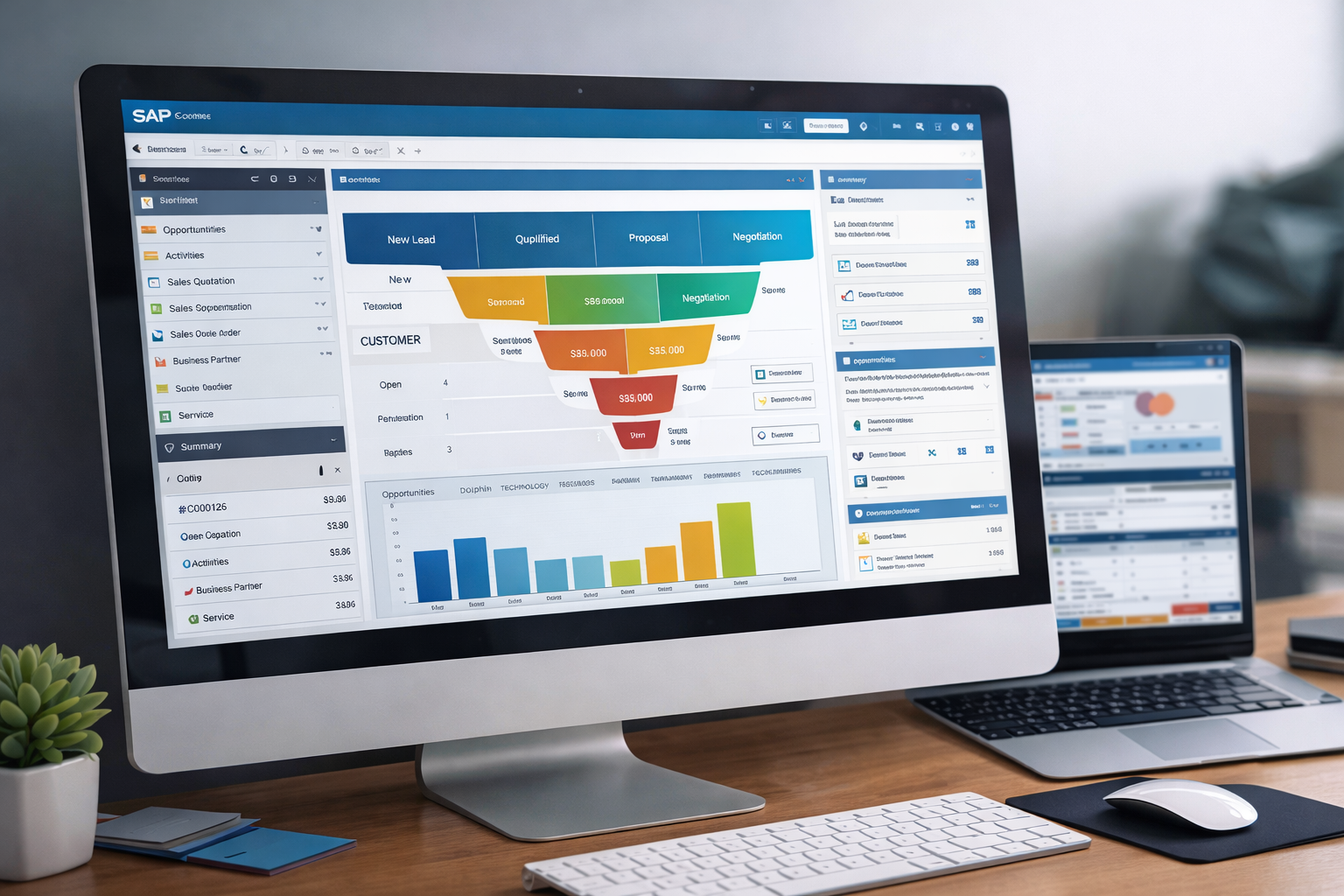
Understanding CRM in Modern ERP Systems
Customer Relationship Management is no longer just about tracking contacts. In today’s competitive landscape, CRM must connect sales, service, and finance into one smooth flow. This is where ERP-integrated CRM becomes essential.
Unlike standalone CRM tools, ERP-based CRM systems remove data silos. They ensure that every lead, quote, invoice, and payment is part of a single truth. This unified approach reduces errors, improves visibility, and accelerates decision-making across departments.
For growing organizations, this integration is not a luxury—it is a necessity.
Overview of SAP Business One CRM Architecture
SAP Business One is an integrated ERP solution designed specifically for small and mid-sized enterprises. Its CRM functionality is embedded directly into the core system, ensuring seamless data flow across operations.
Developed by SAP, SAP Business One combines customer management, sales processes, service operations, and financial control in a single platform.
Native CRM vs Add-On CRM
Native CRM in SAP Business One means:
- No duplicate data entry
- Real-time financial visibility
- Lower total cost of ownership
- Faster user adoption
Add-on CRMs can extend functionality, but the native system already covers the full lifecycle from prospect to payment efficiently.
Lead Management Capabilities
Lead Capture and Qualification
Leads can be captured from multiple channels such as:
- Website inquiries
- Trade shows
- Email campaigns
- Manual entry
Each lead record stores key details like source, industry, interest level, and potential value. Sales teams can quickly qualify leads and convert them into opportunities with a single click.
This structured approach ensures no potential customer is overlooked.
Opportunity Pipeline Management
Opportunities are tracked through defined sales stages:
- Initial contact
- Needs analysis
- Proposal
- Negotiation
- Closing
Probability percentages and expected closing dates allow managers to forecast revenue accurately. This makes CRM Capabilities in SAP Business One: From Lead to Collection especially valuable for sales-driven organizations.
Account and Contact Management
360-Degree Customer View
Every customer record provides a complete overview, including:
- Contact details
- Sales history
- Open opportunities
- Service tickets
- Outstanding balances
This holistic visibility empowers sales and service teams to have informed, personalized conversations with customers.
Sales Automation and Forecasting
Sales automation reduces manual work while improving accuracy.
Key features include:
- Automated document creation
- Pricing and discount rules
- Approval workflows
- Revenue forecasting
Quotations, Orders, and Invoicing
Once an opportunity is won:
- A quotation is generated
- Converted into a sales order
- Delivered and invoiced automatically
All documents remain linked, ensuring full traceability from first contact to final payment.
Activity and Task Management
Sales and service teams can schedule:
- Calls
- Meetings
- Follow-ups
- Reminders
Activities are synchronized across users, ensuring accountability and timely execution. Managers gain visibility into team productivity without micromanagement.
Customer Service and Support
Service Calls and Ticketing
Service requests are logged as service calls, capturing:
- Issue type
- Priority level
- Assigned technician
- Resolution status
Service-level agreements (SLAs) can be monitored to ensure timely resolution, improving customer satisfaction and retention.
Marketing Enablement
Campaign Tracking and ROI
Marketing campaigns can be linked directly to leads and opportunities. This allows organizations to:
- Measure campaign effectiveness
- Track conversion rates
- Calculate return on investment
By connecting marketing outcomes with actual sales, decision-makers gain clarity on what truly drives revenue.
Financial Integration: From Invoice to Collection
This is where ERP-integrated CRM truly shines.
Accounts Receivable Automation
Once invoices are issued:
- Due dates are tracked automatically
- Payment reminders can be generated
- Aging reports highlight overdue balances
Finance teams can see exactly which customers owe money and why, without needing data from another system. This tight integration completes the promise of CRM Capabilities in SAP Business One: From Lead to Collection.
Reporting and Analytics
SAP Business One offers powerful reporting tools, including:
- Sales performance dashboards
- Pipeline analysis
- Customer profitability reports
- Collection efficiency metrics
Reports can be exported or customized to support management reviews and strategic planning.
Mobile CRM Capabilities
Sales teams are not always at their desks. SAP Business One mobile apps allow users to:
- Access customer data
- Update opportunities
- Log activities
- Approve documents
This flexibility ensures productivity continues even outside the office.
Security, Compliance, and Data Governance
The system supports:
- Role-based access control
- Audit trails
- Data encryption
- Regulatory compliance
Sensitive customer and financial data remain protected while still accessible to authorized users.
Benefits for Small and Mid-Sized Enterprises
Key advantages include:
- Faster sales cycles
- Improved cash flow
- Better customer retention
- Reduced operational costs
- Scalable growth platform
For SMEs, these benefits can be transformational rather than incremental.
Implementation Best Practices
To maximize success:
- Define clear business processes
- Clean existing customer data
- Train users thoroughly
- Start with core CRM features
- Expand gradually with add-ons if needed
Partnering with experienced SAP consultants can significantly reduce implementation risk.
Frequently Asked Questions (FAQs)
1. Is SAP Business One CRM suitable for small businesses?
Yes, it is specifically designed for small and mid-sized enterprises.
2. Can SAP Business One replace standalone CRM tools?
For most SMEs, yes. Its native CRM covers sales, service, and finance effectively.
3. Does it support customization?
Yes, workflows, fields, and reports can be customized.
4. How does it improve cash collection?
By linking sales, invoicing, and receivables in one system.
5. Is mobile access available?
Yes, through official SAP mobile applications.
6. Where can I learn more about SAP Business One?
You can explore official documentation on the SAP website:
Conclusion
In an era where customer experience and cash flow determine success, integrated systems matter. CRM Capabilities in SAP Business One: From Lead to Collection provide a complete, end-to-end solution that connects marketing, sales, service, and finance into one intelligent platform.
By eliminating silos and improving visibility, SAP Business One empowers organizations to grow sustainably, serve customers better, and collect revenue faster—all within a single, trusted system.